having multiple sudo accounts on one 3ds!?
DO NOT USE THIS TUTORIAL TO CIRCUMVENT BANS. use this method at your own risk! also, this only works for modded 3dses/2dses only!
┤ having multiple sudo accounts on one 3ds!? ┤
a tutorial brought to you by dess and sho

HUGE SHOUTOUT TO SHOSAOX FOR FINDING THIS METHOD!
if you, for some reason, want to have multiple sudomemo accounts on one 3ds, follow this tutorial and you will get your wish! keep in mind you cannot use different accounts from a ds that isn't the one you're using - flipnote studio ids are tied strictly to the console they were created on, the last 8 digits of your fsid (for example - 12154FC051794BBD) must also match the console's mac address!!
this tutorial is for creating new accounts within the same 3ds, without losing your main account! read the instructions carefully; use this method at your own risk, sho and i are not responsible for any account loss!!
say that, for example, your main account is called "bnuuy" and you want to make an account called "charmy". to start off with, your flipnote data is stored within a public.sav file. we will need to fetch the original public.sav file, holding the bnuuy account.
firstly, open FBI. you will want to navigate to TWL NAND > title > 00030004 > 4b4755XX > data. for european users, this will be 4b475556; for american users, this will be 4b475545; for japanese users, this will be 4b47554A.
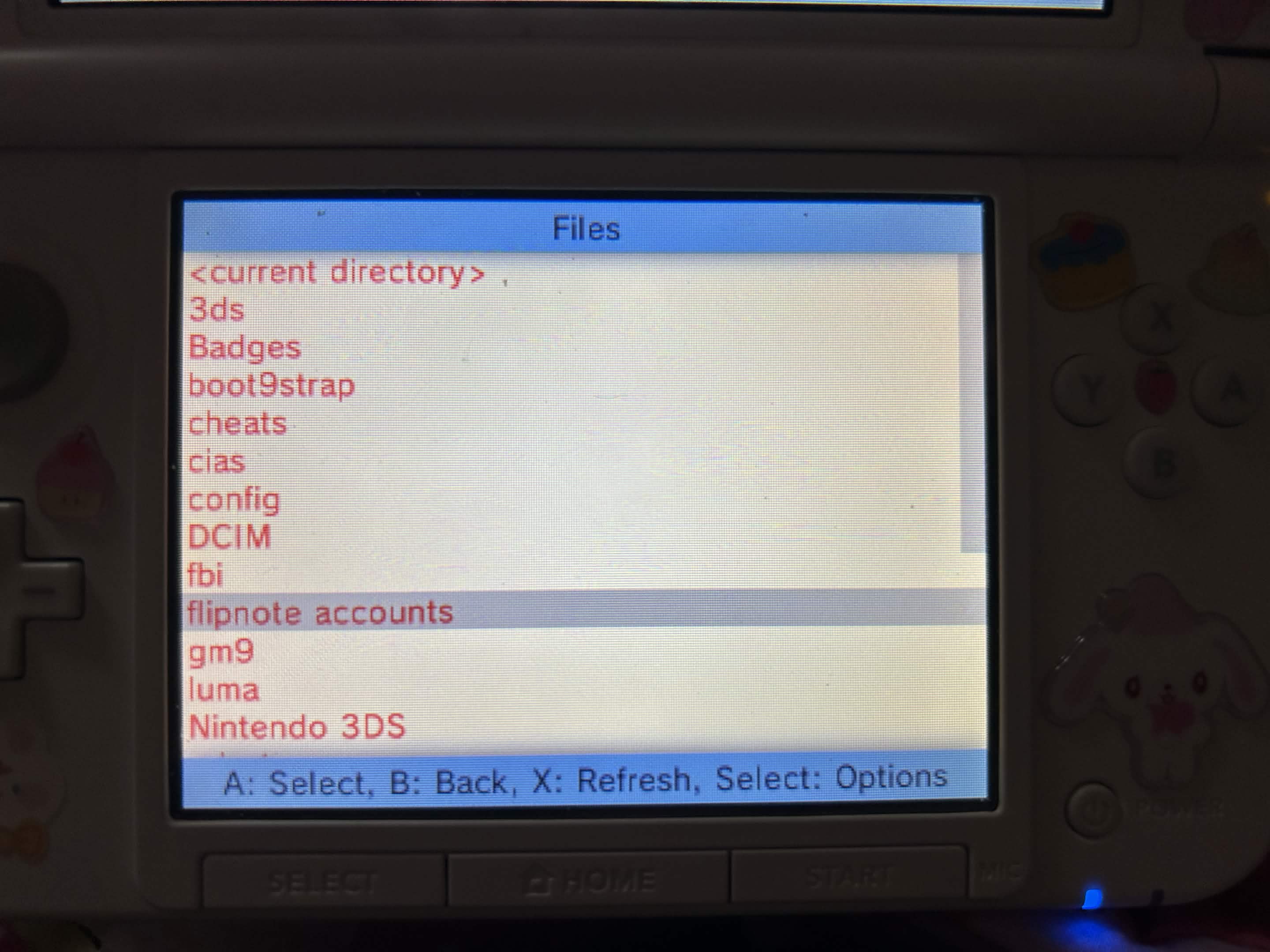
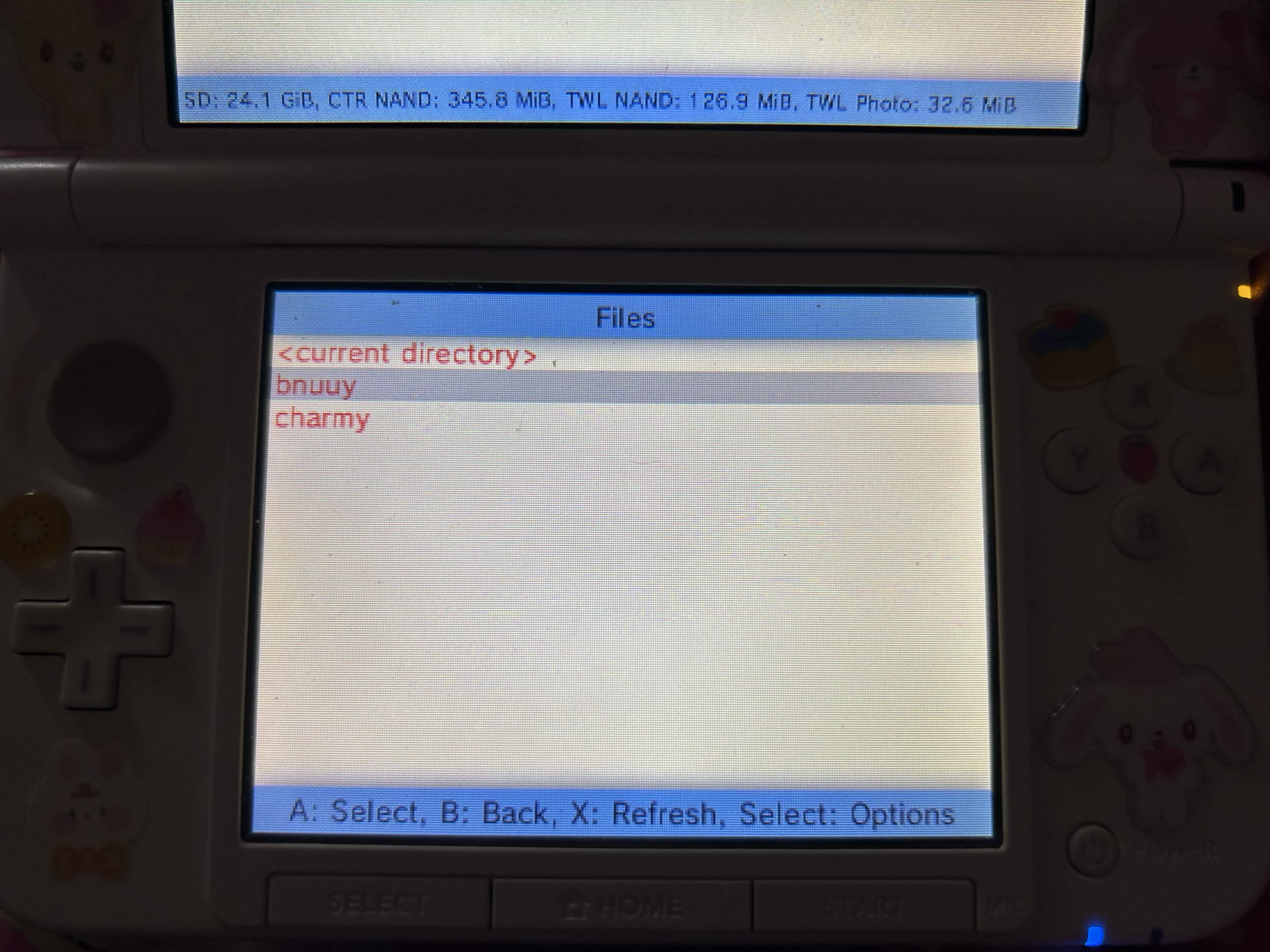
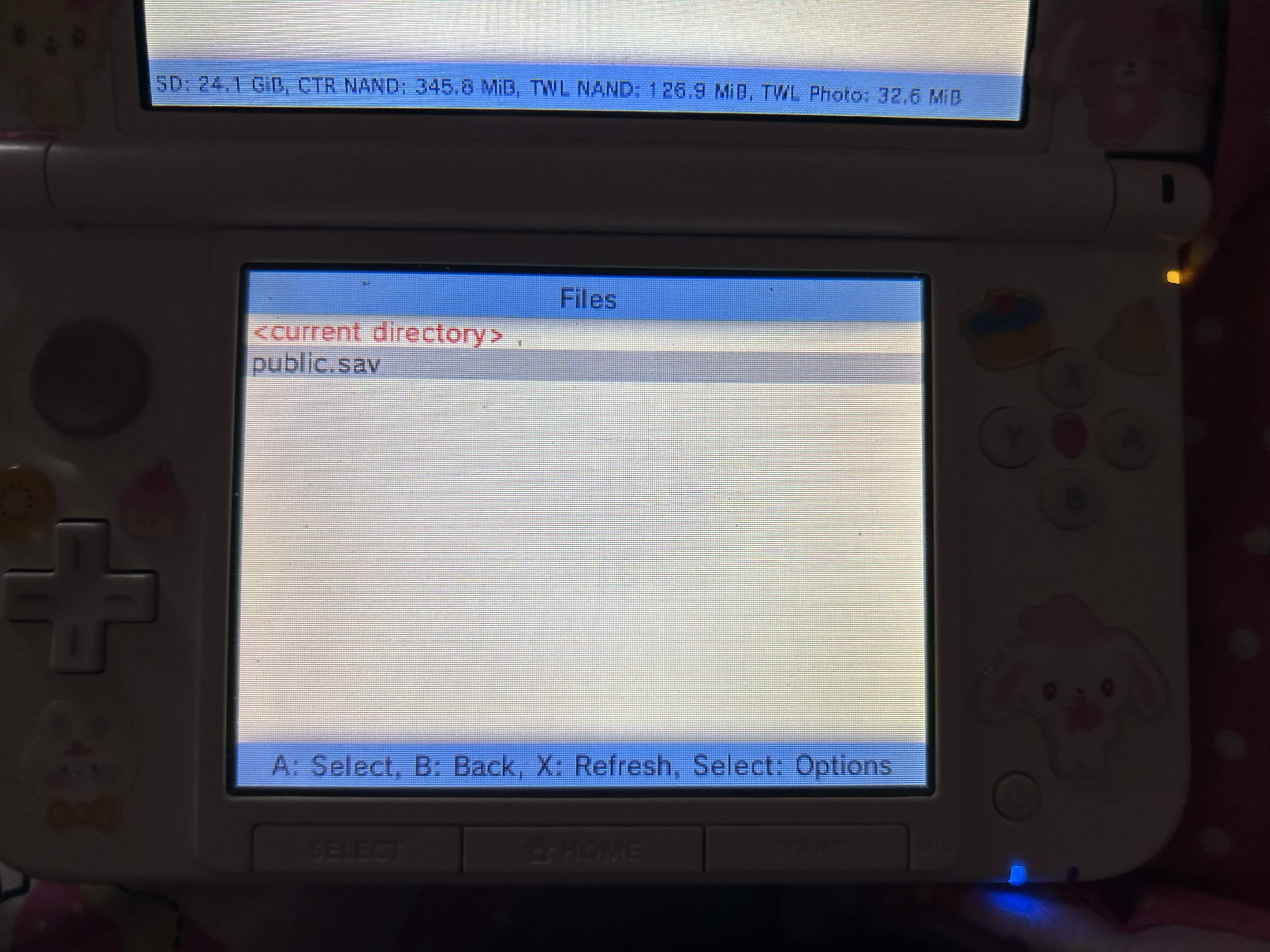
you will see a public.sav file in the data folder. press (A), then copy, and navigate to SD for now. you mustn't keep your public.sav in the root directory - instead, create a new folder titled "flipnote accounts" (you can do this by clicking current directory > new folder), create a folder inside that folder with the name of the account that you are backing up, and paste your public.sav there instead.
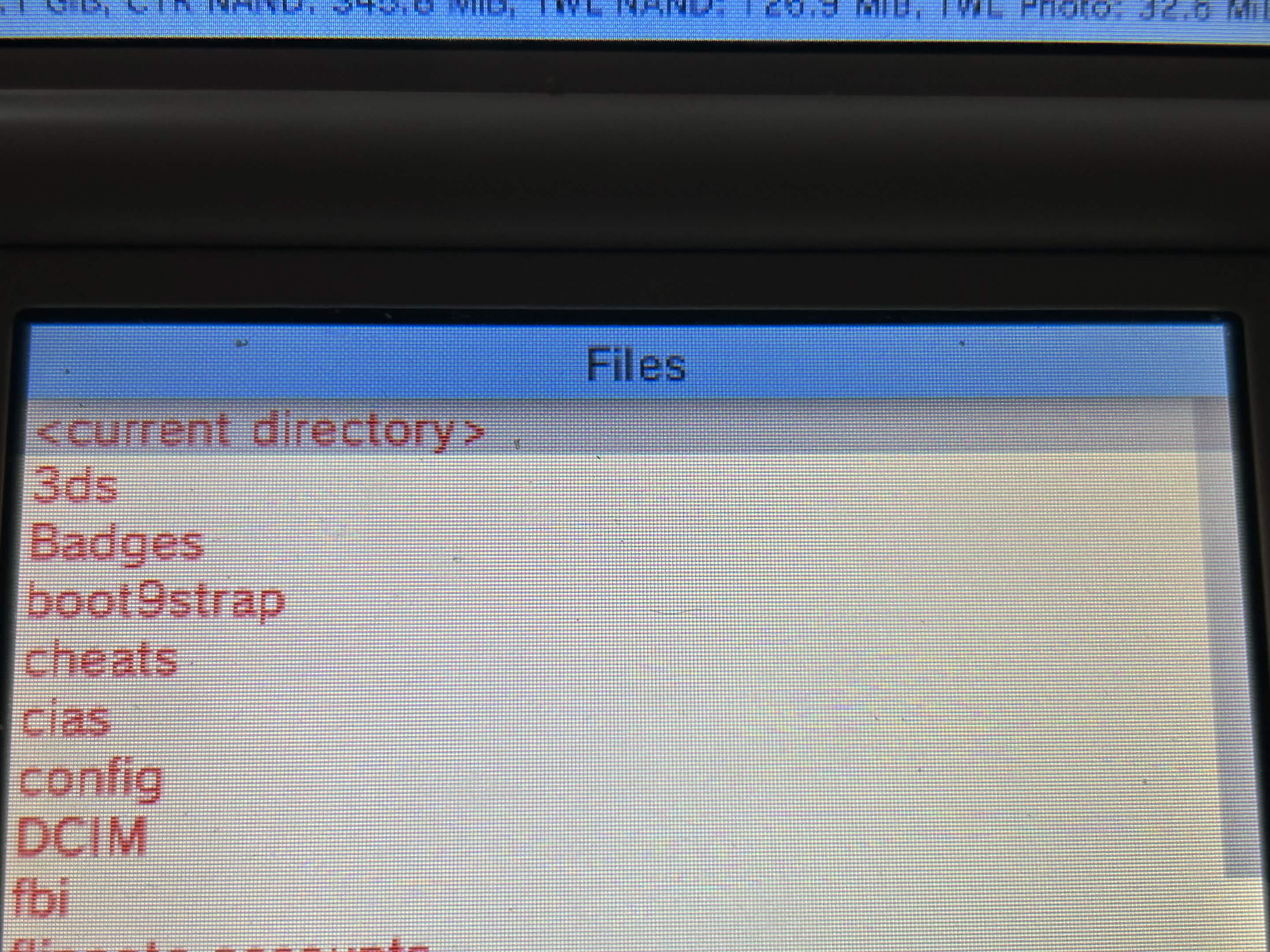
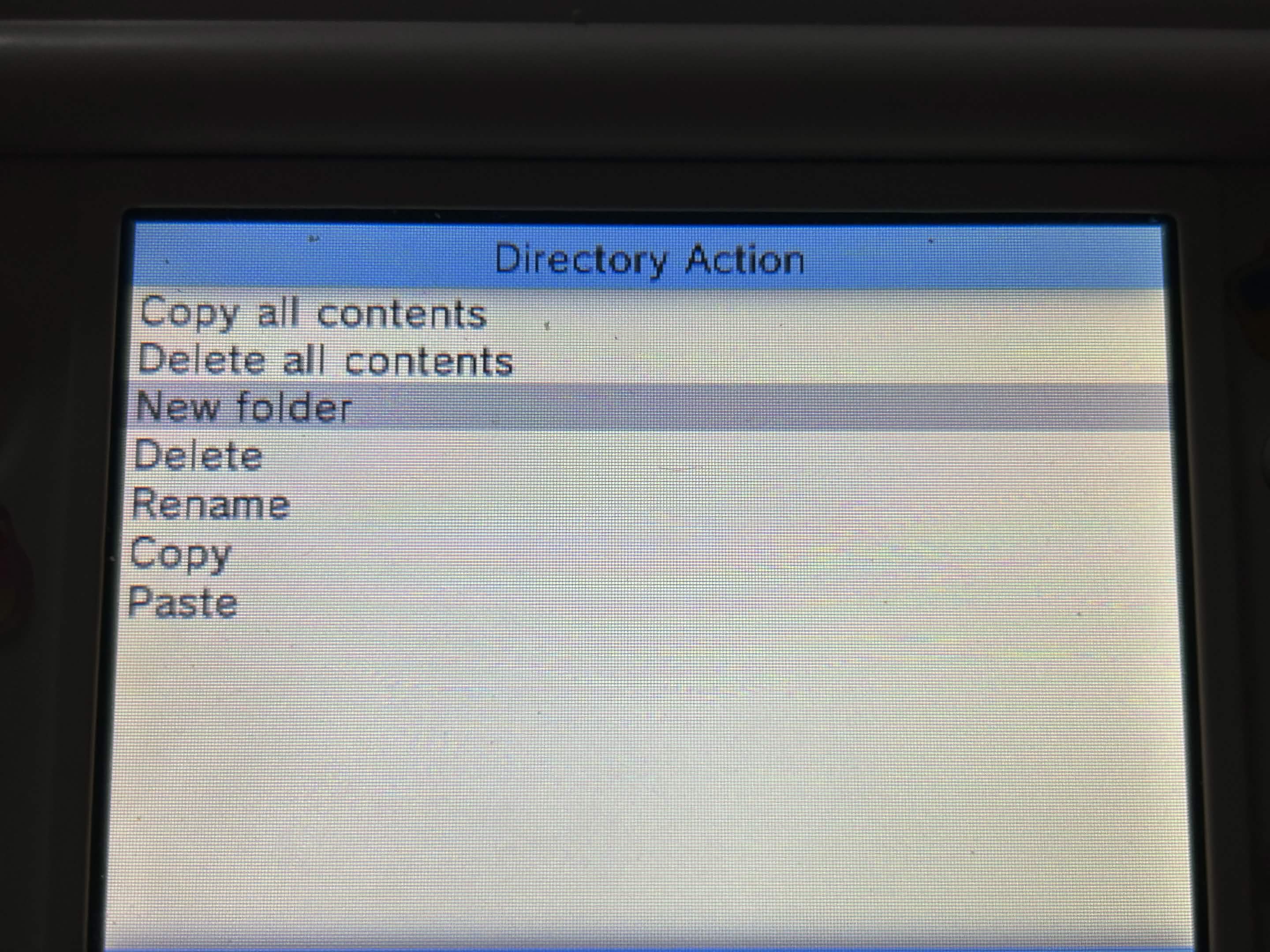
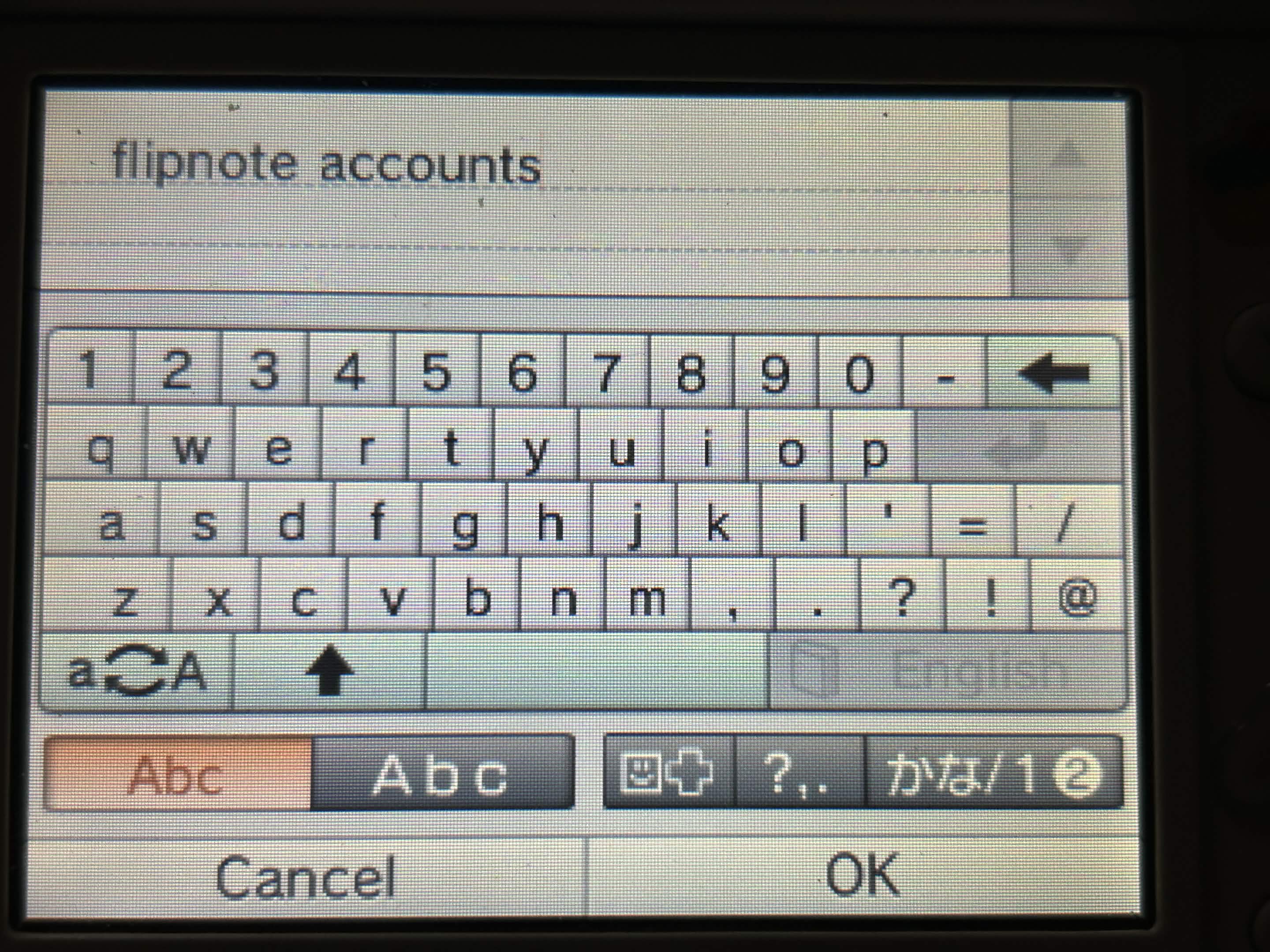
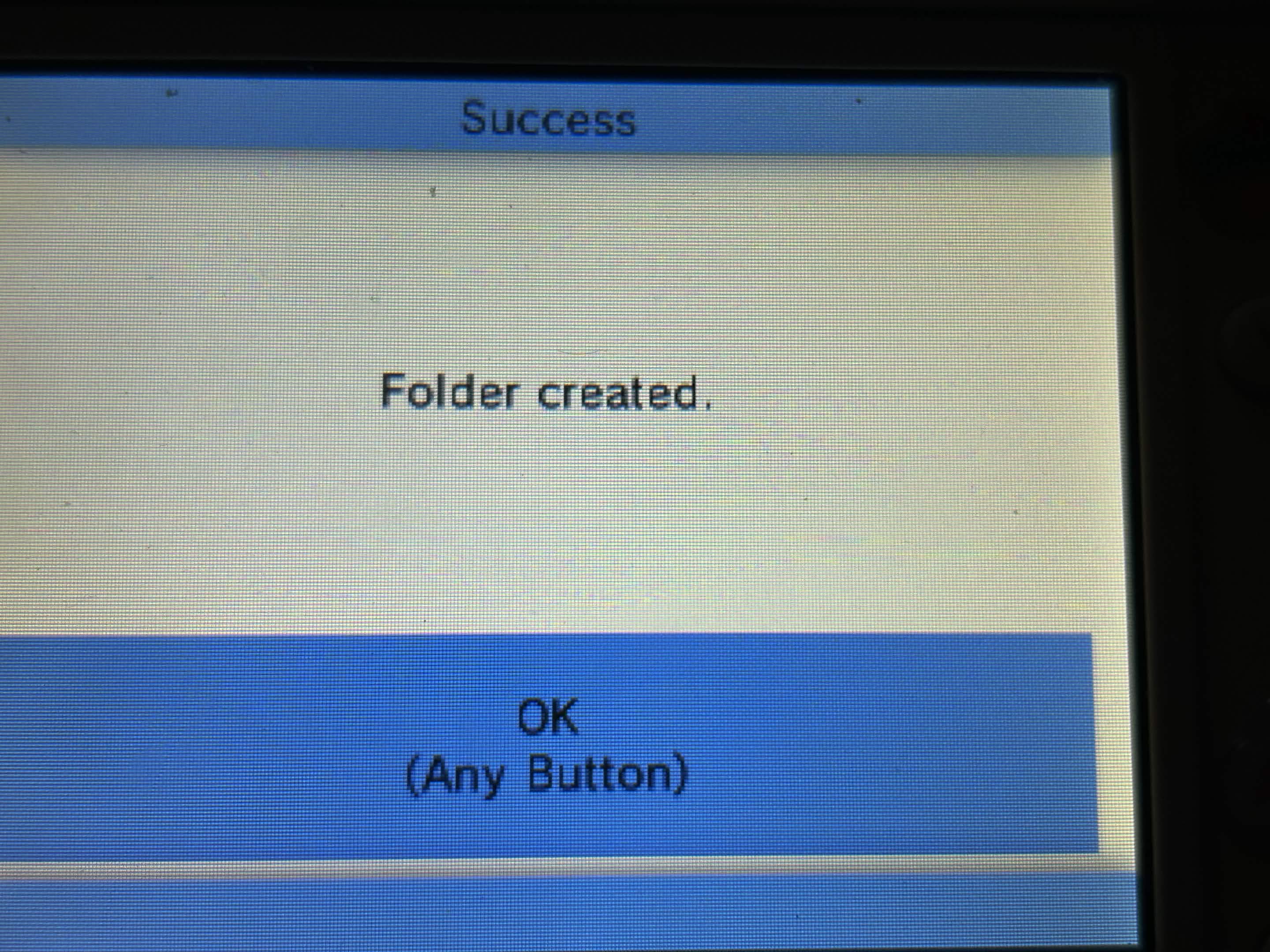
everything should now look like this! your public.sav should be in its own dedicated folder.
now, the scary part. you now need to delete flipnote studio from your 3ds. navigate to your titles and find Flipnote Studio, click on it and click on "delete title". DO NOT WORRY, your original save is not lost, AS LONG AS YOU BACKED IT UP PRIOR. now, reinstall flipnote studio dsi on your 3ds/2ds, launch it, and go through the setup bullshittery that flipnote + sudomemo makes you go through
congrats, you have just made a new flipnote account! now, we are going to show you how to restore it.
if you want to keep the account you created, repeat the steps before:
- TWL NAND > title > 00030004 > 4b4755XX > data
- press (A) on the public.sav then copy
- navigate to SD, go to your newly created "flipnote accounts" folder from before
- create a new folder, naming it the name you gave to your new account (in my case it is "charmy")
- paste the new public.sav to the new folder you have just created now, we will need to delete it again and reinstall. navigate to titles again, find Flipnote Studio, click on it and click on "delete title". then reinstall again.
BUT.
to restore your account, BEFORE OPENING FLIPNOTE STUDIO AGAIN, go to the "flipnote accounts" folder, and then go to the folder of the account you want to restore (for example, flipnote accounts > bnuuy) and copy the backed up public.sav for that account.
now, navigate back to TWL NAND > title > 00030004 > 4b4755XX > data, delete the public.sav it has generated, then paste the backed up public.sav into that folder.
congrats, you just managed to switch between accounts on one 3ds!
mood: ill :(
listening to: nine inch nails - the downward spiral (the song)
reading: computer screen
watching: computer screen
playing: nothing
eating: red leicester mini cheddars
drinking: water